The companion app to Huawei wearables
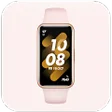
Huawei Health is a free health and fitness app that tracks your fitness regimen. Developed by Huawei Internet Service, this app functions similarly to other health apps designed for monitoring a user’s training program. It syncs with compatible Huawei smartwatches and most devices.
Top Recommended Alternative

Huawei Health is a proprietary app designed to run on Huawei smartphones, smartwatches, and some older Honor products when it was a sub-brand of the Chinese tech company. Nowadays, it runs within the Huawei ecosystem almost exclusively, so having a Huawei device is essential to run this app.
Is the Huawei Health app good?
Like Fitbit and Yoho Sports, Huawei Health is what you’d call a “wearable” app since its main function is to monitor your fitness activities via the wearable smart device you have from the Huawei brand. It is the official app for this brand of smartwatches and fitness bands, allowing you to initiate the download and installation of the app on those devices rather than from mobile app stores.
To do this, just activate your watch and swipe the screen until you find the app’s installation screen. Then, scan the QR code displayed, and this will redirect you to a browser page wherein you can select either a browser or AppGallery download. Note that devices with version Android 4.4.4 and above support the app. However, it’s recommended that the RAM be greater than 2GB for it to work properly.
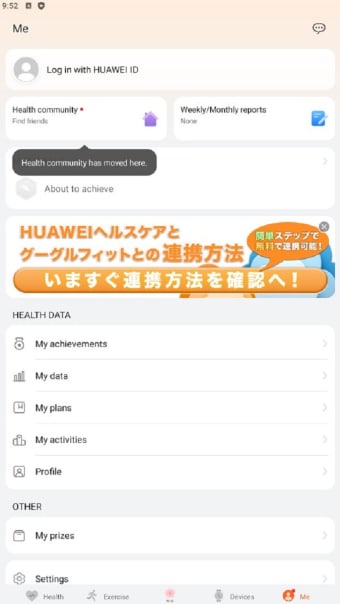
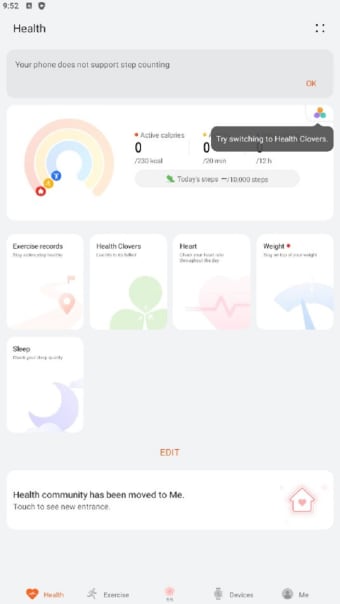
There are no unique features available here. You can keep track of your steps with its pedometer tool—whether it be walking or running. You can check out health stats, including heart rate, speed, exercise records, weight, and even sleep cycles. There’s a Dark Mode option, and the app even integrates with your music player to help spice up your regimen. However, many of these don’t always work properly.
Needs major improvements
Huawei Health is useful for anyone who owns Huawei wearables. However, it can also be a huge hassle due to its constant poor performance. The data is often inaccurate because the watches don’t sync properly with the app’s GPS tracking. You’re better off trying other apps for a more reliable experience tracking your fitness stats—that or manually sync both app and device whenever you want an updated log.